dupeGuru Alternatives for Mac: Free Duplicate Finders and Doing It in Finder
dupeGuru is a free, open source app that finds duplicate files by name, by content, by music tag or by fuzzy photo match. Most dupeGuru alternatives do the same job for money. macOS can already do most of it, using a Finder smart folder, the Photos Duplicates album and a checksum in Terminal.
This page is a survey, not a shopping list. It sets out what each duplicate file finder for Mac does, what it costs and where it stops being useful. It picks no winner, because for most people no purchase is needed.
If you landed here because your Mac storage is full, start with the manual section. The same by hand approach runs through the removal guide for Sublime Text and every other guide here.
What dupeGuru actually does
dupeGuru scans folders you point it at and groups files it thinks are copies. Its project page calls it a cross platform tool for Linux, macOS and Windows. It is written in Python, uses Qt for the interface, and ships under the GPL version 3.
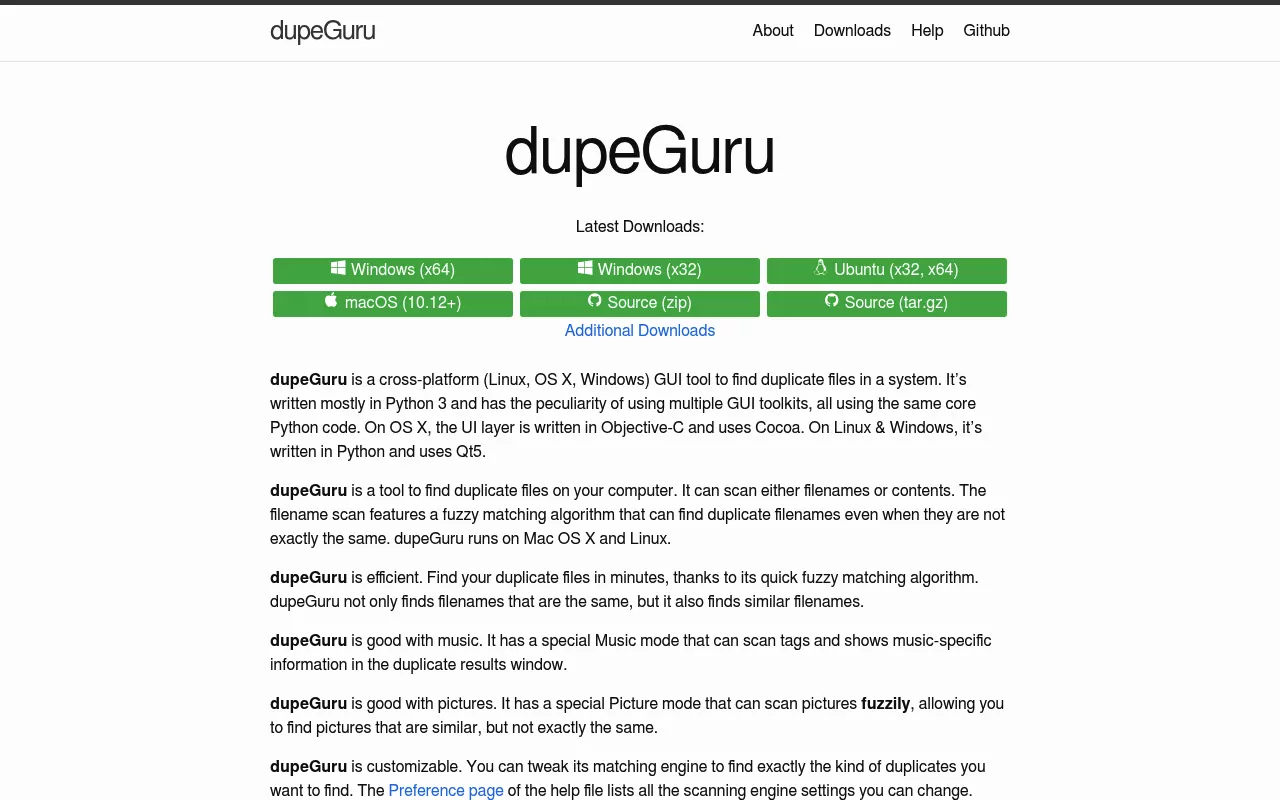
It works in three modes:
- Standard mode. Compares filenames with a fuzzy match, so it can group files whose names are close but not identical. It can also compare file contents.
- Music mode. Reads music tags and shows track details, so two rips of the same song can be spotted.
- Picture mode. Compares images loosely, so a resized or re-saved photo still matches the original.
The project site lists macOS 10.12 or later. There is no paid tier and no upsell, and the Mac download is a zip holding the Qt build.
One detail matters more than any feature list. The newest packaged release is version 4.3.1, published on 9 July 2022. The repository is not archived and still took commits in 2026, but no release has been cut in over four years, and the tracker holds more than five hundred open issues.
Why Mac users go looking for dupeGuru alternatives
Price is not the reason. dupeGuru is free, so nobody leaves it to save money. The reasons are more ordinary than that.
- The build is old. A Mac app packaged in July 2022 predates several macOS releases. It is fair to want something tested against the version you run.
- It does not feel like a Mac app. The interface is Qt, so menus and drag behaviour differ from what you expect.
- Photo libraries. Many readers only care about photos, and want a tool that reads the Photos library directly.
- Support. With a long release gap, an unanswered bug can sit for years.
Notice what none of those reasons is. None of them is that the job cannot be done by hand.
The manual method that needs none of these
This is the part the vendor blogs skip. You can find duplicate files on a Mac free of charge, using Finder, System Settings and Terminal, all already installed. Nothing here costs anything.
Step 1: find out where the space actually went
Open System Settings, click General, then click Storage. On macOS Monterey and earlier the same view sits under the Apple menu, in About This Mac. Let the bar chart finish loading first.
Do this first because duplicates are rarely the biggest win. Apple lists the plain moves in its guide to free up storage space on Mac, starting with the Trash. Space in the Trash is not free space until you empty it.
Four folders usually eat more room than duplicates do:
- iPhone and iPad backups: ~/Library/Application Support/MobileSync/Backup
- Xcode build output: ~/Library/Developer/Xcode/DerivedData
- Message attachments: ~/Library/Messages/Attachments
- Leftovers from apps you removed: ~/Library/Caches and ~/Library/Application Support
That last one is its own kind of clutter. A security suite can leave helpers and caches behind long after the app is gone, which is why the Trend Micro removal guide spends most of its length on the leftovers rather than the app.
Step 2: build a Finder smart folder to group the candidates
A smart folder is a saved search that keeps itself up to date. It is the closest thing macOS has to a built in duplicate scanner, and it costs nothing.
- In Finder, choose File, then New Smart Folder.
- Type a word that describes what you are hunting, then pick a suggestion under the search field.
- Click the add button below the search field. Use the pop up menu to choose a search attribute.
- Set the attribute to File Size, and set it to greater than 20 MB.
- Add a second row and set Kind to Image, or to Movie, depending on what you are cleaning.
- Click Save, give it a name, and choose whether it sits in the sidebar.
Apple documents the exact steps in its guide to create or change a Smart Folder on Mac. As files come and go, the folder updates itself.
One caveat. Finder search leans on the Spotlight index, so files in places Spotlight skips will not show up. If a drive was added with indexing turned off, its files stay invisible to this method.
Step 3: sort by size, because size is the honest filter
Open your smart folder, switch to list view with Command and 2, then click the Size column heading. Scan for pairs with exactly the same byte size. That pairing is your shortlist.
Two files that share a byte size are worth checking. Two files that share a name are not. That one idea separates a safe cleanup from a bad afternoon.
Name matching fails in both directions:
- Same name, different file. Two cameras both produce IMG_0421 files. One holds your kitchen, the other a beach. A name based scan calls them a pair.
- Different name, same file. invoice.pdf and invoice-final.pdf can be byte for byte identical. A name based scan misses the duplicate you wanted gone.
To read folder sizes, choose View, then Show View Options, and turn on Calculate All Sizes. Finder then adds up folder contents instead of leaving the column blank.
Step 4: confirm with a checksum in Terminal
Sizes narrow the field. A checksum settles it. A checksum reads every byte of a file and turns it into a short string, so two files with the same string are the same file.
Open Terminal from the Utilities folder inside Applications. Apple covers the basics in its guide to execute commands and run tools in Terminal. The three commands below only read and print. None deletes anything.
First, hash every file over 1 MB in one folder and save the list:
find ~/Downloads -type f -size +1M -print0 | xargs -0 shasum -a 256 > /tmp/hashes.txt
Second, pull out the hashes that show up more than once:
cut -d' ' -f1 /tmp/hashes.txt | sort | uniq -d > /tmp/dupes.txt
Third, list the files behind those repeated hashes:
grep -F -f /tmp/dupes.txt /tmp/hashes.txt | sort
Read that output, then delete in Finder where the Trash can save you. Swap ~/Downloads for any folder you want to check.
Two macOS specifics are worth knowing, because they trip up one liners copied from Linux pages. The version of uniq that ships with macOS has no -w option, so any command using it fails here with an invalid option error. And macOS ships md5 rather than md5sum, at /sbin/md5, so md5sum only works if you installed it yourself.
Three rules that keep a duplicate cleanup safe
Rule one: never bulk delete inside an app managed library. Photos keeps its whole library in one package at ~/Pictures/Photos Library.photoslibrary, and Music keeps its library folder inside ~/Music/Music. Deleting in there behind the app's back corrupts its database. Photos has its own answer: click Duplicates under Utilities in the sidebar, then merge. Apple describes it in its guide to remove duplicate photos and videos on Mac, and merged items sit in Recently Deleted for 30 days.
Rule two: never delete one half of a hard linked pair. A hard link is one file with two names. Both names point at the same bytes, so any scan reports them as duplicates. Remove the wrong one and an app can lose a file it expects. This command lists files with more than one name:
find ~/Documents -type f -links +1
Rule three: watch for copies that share storage. APFS, the file system on every modern Mac, can store a copy that shares its blocks with the original. Finder still shows both files at full size, and so does the du command. The saving is real but invisible.
The effect is easy to measure. On a Mac running macOS 26, cloning a 300 MB file with the cp command and its -c option used no extra disk space, while a plain copy used the full 300 MB. A checksum scan calls both pairs duplicates, yet deleting one half of the clone frees nothing.
One habit covers all three rules. Move your suspects to a holding folder for a week. If nothing breaks, empty it.
Duplicate file finders people compare with dupeGuru
These are the apps that come up most often next to dupeGuru. They appear in no particular order and none is a recommendation. Prices and versions were checked on 9 September 2026.

Czkawka
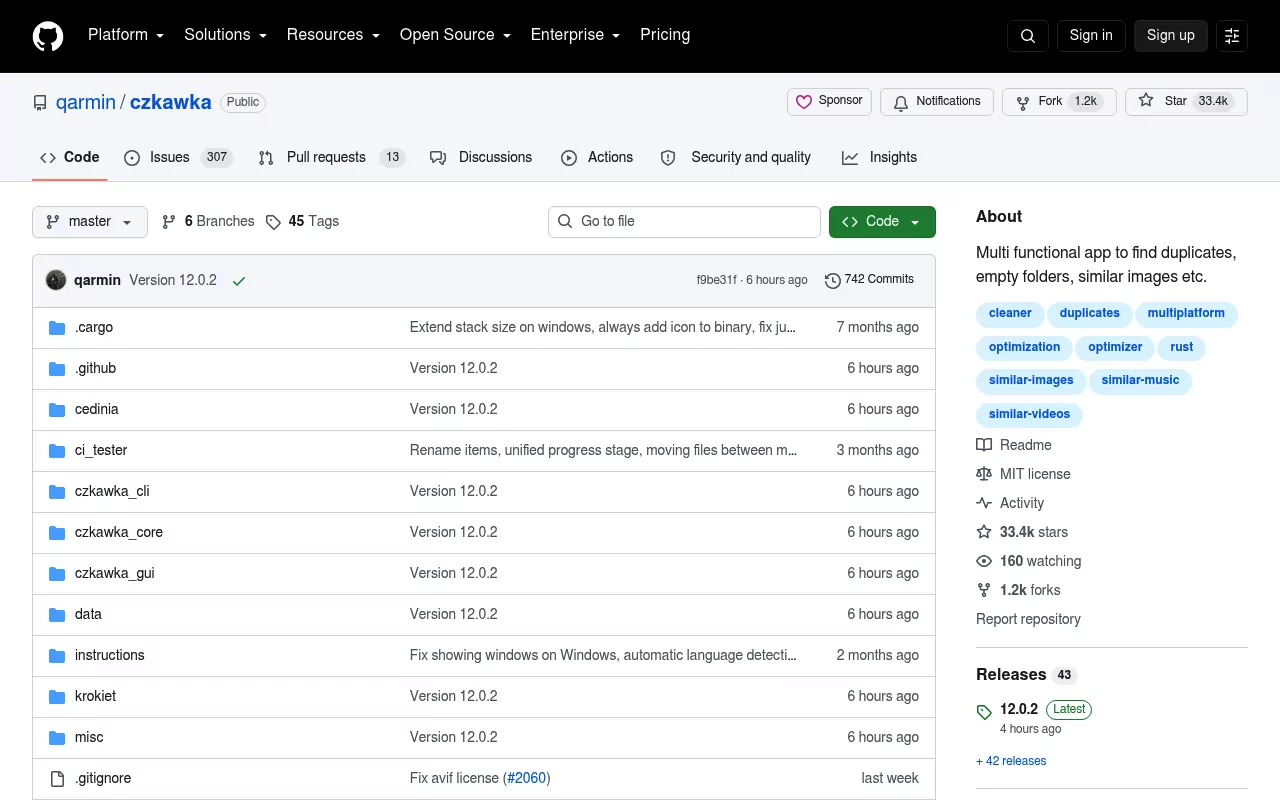
Czkawka is a free, open source duplicate finder written in Rust. It ships a command line tool and two graphical front ends: an older GTK one, and Krokiet, the newer cross platform interface. The GTK app and the command line tool are MIT licensed, while Krokiet uses the GPL version 3.
It looks for far more than duplicates. The project lists fifteen scan types, including empty folders, big files, similar images, similar videos, same music and broken files. The current release is 12.0.1, published on 29 July 2026.
Honest limitation. In that release every macOS download is built for Apple silicon only, so Intel Mac owners have to build it themselves. The Mac files also arrive as bare binaries and zips rather than an installer.
Gemini 2
Gemini 2 is a Mac duplicate finder from MacPaw. On the Mac App Store it is a free download with in app purchases, listed as Yearly Access at $19.99 and Smart Cleanup at $19.99. MacPaw's own site lists it starting at $1.95 a month. The App Store listing requires macOS 10.13 or later, and the current version is 2.10.2.
It looks for exact duplicates, files that are merely similar, duplicate photos inside the Photos library and duplicate music tracks. It adds a selection step that guesses which copy is the original.
Honest limitation. The download is free, but acting on the results is the paid part, since Smart Cleanup is an in app purchase. Gemini 2 mac roundups often skip that split.
Duplicate File Finder by Nektony
This one is also a free Mac App Store download with in app purchases. Pro Mode is sold three ways: $34.99 as a lifetime licence, $14.99 a year or $7.99 a month. The listing requires macOS 11.0 or later, and the current version is 9.2.2.
The free version scans any disk or folder, finds duplicate files, previews them and lets you auto select. Pro Mode adds duplicate folder removal, folder comparison, Smart Select, folder merging and restoring duplicates you already removed.
Honest limitation. Folder level duplicates and the undo for a deletion both sit behind Pro Mode. The free version is a scanner more than a cleaner.
Easy Duplicate Finder
Easy Duplicate Finder comes from WebMinds and runs on Windows and Mac. Its site offers a free macOS trial with no card required, and lists the paid version at $39.95, marked as a discount from $59.95. It scans folders, drives and some cloud storage.
Honest limitation. It is not distributed through the Mac App Store, and its Mac download page does not publish a minimum macOS version. You find out whether it supports your release by running the trial.
PhotoSweeper
PhotoSweeper is the narrow one, and that is the point. It costs $14.99 once on the Mac App Store, requires macOS 10.15 or later, and sits at version 5.5.5. It compares Apple Photos, Lightroom Classic, Capture One and plain image folders, and handles RAW, JPEG, HEIC, PNG and TIFF.
It finds exact copies and shots that merely look alike, which is what you want after a burst of forty near identical photos. A cheaper PhotoSweeper Lite sells for $0.99 and finds exact duplicates only.
Honest limitation. Photos and nothing else. It will not help with a folder of repeated PDFs, installers or video exports.
How the dupeGuru alternatives compare at a glance
There is no score column and no winner column. The table shows which tool is aimed at which problem.
| App | Licence and price | What it is for | Notable limitation |
|---|---|---|---|
| Finder and Terminal | Included with macOS, no cost | Any file type, on any drive you can reach | You read the results and decide yourself |
| dupeGuru | Free, GPL version 3 | Files, music tags and fuzzy photo matching | Newest release is 4.3.1 from July 2022 |
| Czkawka | Free, MIT and GPL version 3 | Fifteen scan types, duplicates included | Mac builds are Apple silicon only |
| Gemini 2 | Free download, $19.99 in app purchases | Files, photos and music, with guided selection | Cleanup sits behind a purchase |
| Duplicate File Finder | Free download, Pro Mode $34.99 lifetime | Files and folders, plus similar photos | Folder tools and restore need Pro Mode |
| Easy Duplicate Finder | Trial, then $39.95 | Folders, drives and some cloud storage | No published macOS version requirement |
| PhotoSweeper | $14.99 one time | Photo libraries and image folders | Photos only, no other file types |
Frequently Asked Questions
Is dupeGuru still worth using in 2026?
It still runs and it is still free. The catch is the date: version 4.3.1 was packaged in July 2022, so it has not been rebuilt for recent macOS releases. Test it on copies before trusting it with originals.
Is a free duplicate file finder for Mac good enough?
For most people, yes. A paid app mainly buys a friendlier selection step and a support address. Detection itself is a size check plus a checksum, and macOS does both with no download.
Will removing duplicate files break the app that made them?
It can, if the files sit inside a library the app manages. Photos and Music track their contents in a database, so deleting from Finder leaves that database pointing at nothing. Work through the app instead.
What does macOS already do about duplicates on its own?
Photos collects them in a Duplicates album under Utilities, and merging there is safe. Outside Photos, macOS gives you the ingredients rather than a finished feature: smart folders, a sortable size column and checksum tools in Terminal.
Why did my Mac free up less space than the scan promised?
Usually one of three reasons. The files are still in the Trash, which does not release space until it is emptied. Or the pair was hard linked, so both names pointed at one file. Or the copy shared its blocks with the original, in which case removing it never freed anything.
Do I need a cleaner app to remove duplicates on Mac?
No. A cleaner app can save time on a large photo library, but nothing in this article requires one. The same is true of app removal: the Kaspersky removal guide and the guide on removing Safari both work with Finder and System Settings alone.
Where to take this next
The useful takeaway from any list of dupeGuru alternatives is that duplicates are a small part of a full disk. Leftovers from apps you no longer run are usually the bigger share, and a duplicate scan cannot see them, because there is only one copy of each.
That is the gap the per app removal guides on this site cover. Each one names what an app installs and where, says whether its own uninstaller really removes it, walks the manual cleanup and ends with a check that nothing is still running. There is nothing to download.
Start with whichever app takes the most room. The Sublime Text guide shows how far command line leftovers spread, and the Trend Micro guide does the same for background helpers.