How to Uninstall Codex on Mac: Remove the CLI, Its Background Server and What It Leaves in ~/.codex
To uninstall Codex on a Mac, remove it the way you installed it: npm uninstall -g @openai/codex, brew uninstall --cask codex, or delete the codex links in ~/.local/bin. Then delete ~/.codex/packages, which holds the CLI's own downloaded copies. If nothing else on your Mac uses Codex, run codex logout first and delete ~/.codex last.
That is the short answer to how to uninstall Codex on Mac. Looking for the Codex desktop app instead? It is now named ChatGPT (bundle id com.openai.codex): turn off Locked use if you enabled it, quit it, drag ChatGPT.app or an old Codex.app to the Trash, then see our guide to uninstalling ChatGPT on Mac.
Everywhere else on this page, Codex means OpenAI's command line coding agent. As with the subl helper in our Sublime Text guide, there is no app to drag, so the work happens in Terminal and hidden folders.
Which Codex is on your Mac?
| What you see | What it is | What to do |
|---|---|---|
A codex command in Terminal |
The Codex CLI. | Follow this guide. |
| ChatGPT.app, or an older Codex.app | The ChatGPT desktop app, which replaced the Codex app on 9 July 2026. Its private copy of codex is normally not on your PATH. | See the next section. |
| "Codex" by OpenAI in your code editor | The Codex extension (id openai.chatgpt), with its own codex. |
See the extension section. |
A codex.system folder in your PATH |
Part of macOS. | Leave it alone. |
| CODEX Platform or an app called CodeX | Other companies' products. | Use their removal steps. |
Also, codex app can start the ChatGPT installer, so you may have the app without remembering.
If you have the Codex desktop app (now called ChatGPT)
- If you turned on Locked use, open Settings, then Computer Use in the app and turn it off first. Never delete anything in
/Library/Security/SecurityAgentPluginsyourself. - Quit ChatGPT (or Codex, on an older copy) from its menu.
- Drag
/Applications/ChatGPT.appor/Applications/Codex.appto the Trash. Also check~/Applications. - Decide on
~/.codexwith the keep or delete table below. The app keeps its threads and sign-in there. - Follow our ChatGPT guide for the app's other leftovers.
A separately installed CLI keeps working until you remove it below.
What the Codex CLI installs on a Mac, and where
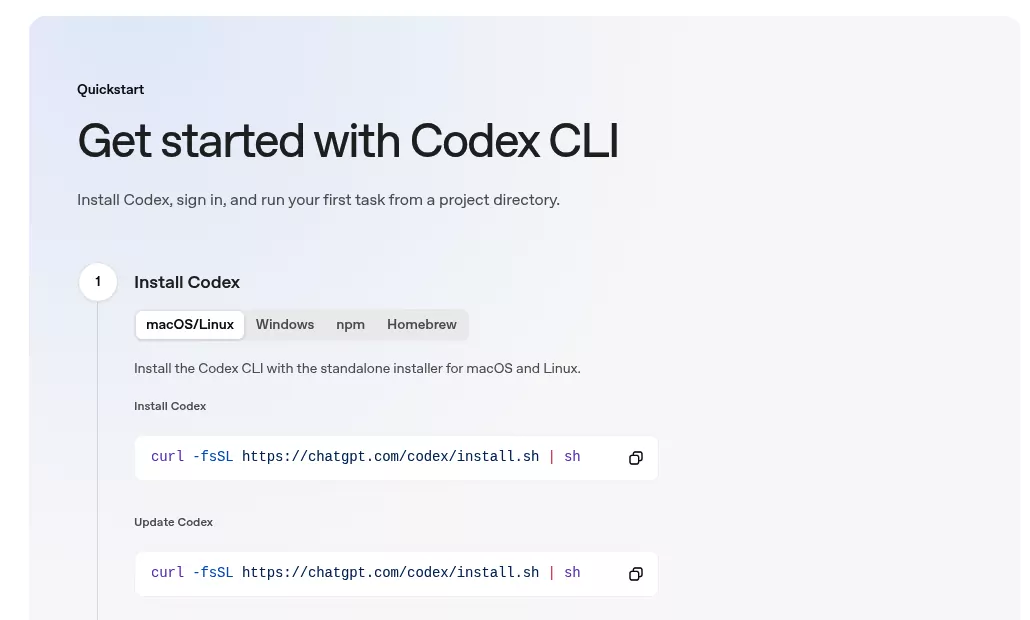
OpenAI's Codex CLI page lists three install routes.
| Route | Where the command lives | Also adds |
|---|---|---|
Install script (curl -fsSL https://chatgpt.com/codex/install.sh | sh) |
~/.local/bin/codex and ~/.local/bin/codex-code-mode-host, links into ~/.codex/packages/standalone. |
A PATH block in ~/.zprofile or ~/.bash_profile, if needed. |
npm (npm install -g @openai/codex) |
npm's bin folder, such as /opt/homebrew/bin or /usr/local/bin. With nvm, one copy per Node version. |
A second package with the native program. |
Homebrew (brew install --cask codex) |
A codex link in Homebrew's bin folder. |
Shell completions. |
| GitHub Releases download | Wherever you saved it. | Nothing. |
Every route shares one data folder, ~/.codex, which OpenAI's environment variables page calls CODEX_HOME. The ChatGPT app and the extension use it too.
| Item in ~/.codex | What it holds | Used by |
|---|---|---|
config.toml, auth.json
|
Settings, MCP servers and your sign-in. OpenAI says to treat auth.json like a password. |
Shared. |
sessions, skills, rules, memories
|
Chat transcripts and your add-ons. | Shared. |
history.jsonl, log
|
Prompt history and older logs. | CLI. |
packages, app-server-daemon, app-server-control
|
Downloaded CLI copies and the background server's files. | CLI only. |
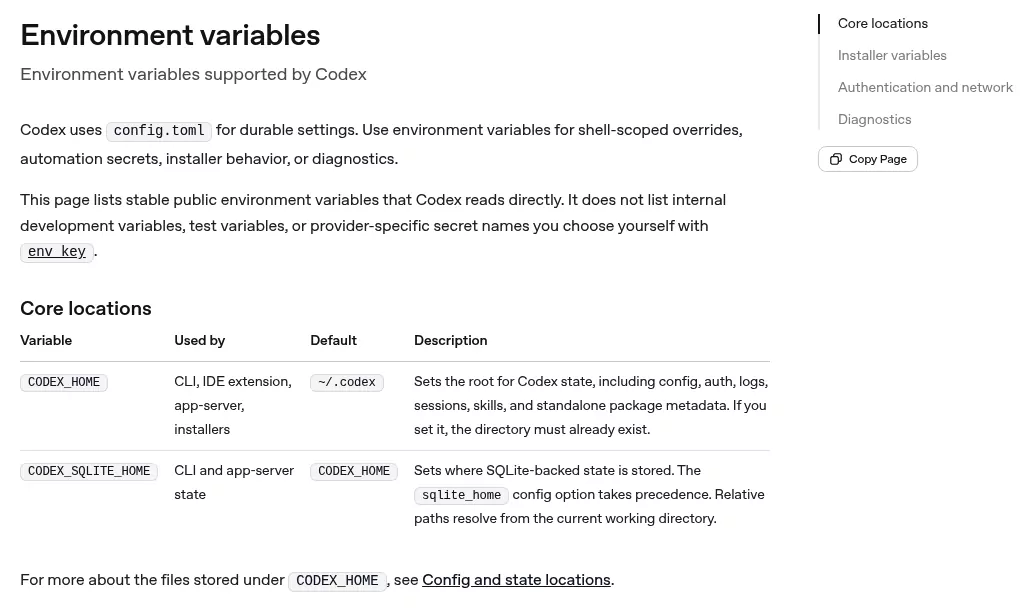
On our test Mac, ~/.codex was 16 GB, mostly the ChatGPT app's threads and images. To see what else fills your disk, map your biggest folders with Finder and Storage settings.
A background server has started automatically in eligible interactive sessions since CLI 0.157.0, as OpenAI's changelog notes. OpenAI's source code shows it runs from its own copy in ~/.codex/packages/app-server-daemon, with an hourly updater beside it, however you installed the CLI. So npm uninstall or brew uninstall alone can leave a running process and a second copy behind.
Keychain items. If Codex stores credentials in the Keychain, you may see "Codex Auth", "Codex MCP Credentials" and "codex". The ChatGPT app and the extension share them.
Nothing system wide. The CLI adds no launch agents, login items or helpers.
Why dragging Codex to the Trash is not enough
The CLI has no app to drag, and Finder hides dot folders until you press Command, Shift and period. Apple's page on Go to Folder shows how to open them.
Uninstalling the package never touches ~/.codex, and the server can keep running. OpenAI publishes no uninstall page or command, as of 3 October 2026.
Before you remove anything: stop the server, then sign out only if nothing else uses Codex
Do these in Terminal while codex still works.
- Finish any running work.
codex resumelists saved sessions. - Run
codex app-server daemon stop; a status of stopped or notRunning means you are done. If the command does not exist, your copy is too old to have a server, so move on. Do not start codex again after this. - Optional: back up
config.tomland anything else you want to keep.
Do the next two steps only if nothing else on this Mac uses Codex: no ChatGPT app and no Codex extension.
- Run
codex mcp list, thencodex mcp logoutplus the server name for each server you signed in to. - Run
codex logout, which removes saved credentials, per OpenAI's command reference. Skip it if anything else stays: OpenAI's authentication guide says the CLI and the extension share one login, and on our test Mac the app used the sameauth.json.
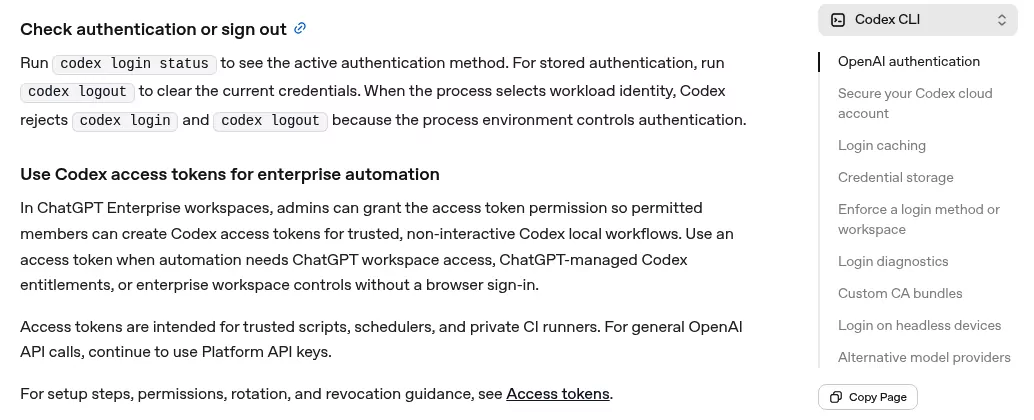
Two warnings: codex auth logout, which some guides print, is not a real command. And never run pkill codex, because the ChatGPT app and the extension run processes with the same name.
Work out how Codex was installed
These checks are read only.
-
which -a codexlists every copy on your PATH, and the first one wins. -
ls -l "$(command -v codex)"shows where the first copy points.Caskroommeans Homebrew,node_modulesmeans npm, and.codex/packages/standalonemeans the install script. -
brew list --cask codexshows an error if Homebrew did not install it. With two Homebrews, try both/opt/homebrew/bin/brewand/usr/local/bin/brew. -
npm ls -g @openai/codexchecks npm. With nvm,ls ~/.nvm/versions/node/*/bin/codexlists each Node version with a copy.
If ls -l shows a link, such as /opt/homebrew/bin/codex, pointing into /Applications/ChatGPT.app, delete only that link, and only if you no longer want codex in Terminal. Never delete or edit files inside ChatGPT.app itself.
How to uninstall Codex on Mac, route by route
Installed with OpenAI's install script
rm -f ~/.local/bin/codex ~/.local/bin/codex-code-mode-hostThis deletes the two command links and nothing else. Never delete the ~/.local/bin folder itself, because other tools keep commands there. Next, find the installer's PATH block with this read only check:
grep -n "Codex installer" ~/.zprofile ~/.zshrc ~/.bash_profile ~/.bashrc ~/.profile 2>/dev/nullEach hit names a file, and 2>/dev/null hides errors for files you lack. Open it in TextEdit, for example with open -e ~/.zprofile. Delete the Codex installer block, from its first marker line to its last, unless something else needs ~/.local/bin.
Installed with npm, pnpm or bun
npm uninstall -g @openai/codexKeep the @openai/ part: plain codex on npm is an unrelated tool. With nvm, repeat it in each Node version that has a copy.
If npm answers EACCES, it was installed with sudo, so run sudo npm uninstall -g @openai/codex once. For pnpm or bun, use pnpm remove -g @openai/codex or bun remove -g @openai/codex.
Installed with Homebrew
brew uninstall --cask codexIf an old install shows codex under brew list --formula, run brew uninstall --formula codex instead. Adding --zap does not touch your data, because it only removes an empty ~/.codex.
Downloaded from GitHub
Delete the file wherever which -a codex shows it.
Remove the background server's copy (every route)
Warning: this removes only downloaded copies of the Codex CLI and the server's own files. Your settings, sign-in and sessions in ~/.codex stay.
rm -rf ~/.codex/packages ~/.codex/app-server-daemon ~/.codex/app-server-controlThe first folder holds the CLI copies, the second the server's process files, and the third its socket. On our test Mac, the ChatGPT app ran without any of them.
Then quit any codex process whose path contains .codex/packages, or restart the Mac. Do not run the stop command again, because it recreates a folder. Open a new Terminal window so the shell forgets the old path.
Remove the Codex extension from VS Code, Cursor or Windsurf (only if you no longer want it)
The extension ships its own codex and keeps using ~/.codex. On our test Mac it took 572 MB.
In VS Code, open Extensions with Command, Shift and X. Search for @id:openai.chatgpt, click the gear and choose Uninstall, as Microsoft's extension marketplace guide shows. In Terminal, use VS Code's own launcher by its full, quoted path:
"/Applications/Visual Studio Code.app/Contents/Resources/app/bin/code" --uninstall-extension openai.chatgptA bare code command may be missing, or may be Cursor's, which would act on Cursor's extensions instead.
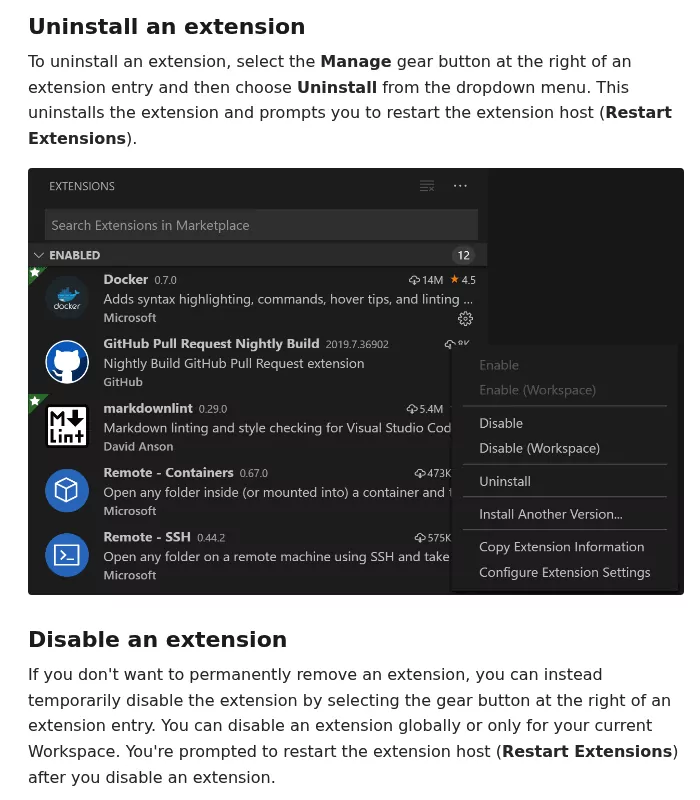
Cursor and Windsurf install the same extension id, so use that editor's own Extensions view.
Keep or delete ~/.codex
| Your situation | What to delete |
|---|---|
| You still use the ChatGPT app or the Codex extension. | Only the CLI pieces: the three folders above, plus history.jsonl and log. Keep the rest, and the Keychain items. |
| Nothing else uses Codex. | Turn off Locked use in the ChatGPT app first, then delete the whole folder, then the Keychain items. |
| You set CODEX_HOME or a custom log folder. | Those folders too. |
The ChatGPT app keeps its threads and Computer Use helper in ~/.codex, so deleting the folder breaks the app.

Warning: deleting ~/.codex erases settings, saved sign-ins, skills, memories, every local transcript and your prompt history. Transcripts can hold secrets you pasted. If you used Locked use, turn it off in the app before you delete ~/.codex.
Use Finder, because the Trash lets you change your mind. Choose Go, then Go to Folder, enter ~ and press Return. Press Command, Shift and period to show hidden folders, then drag .codex to the Trash.
For the CLI pieces only, open ~/.codex instead and drag history.jsonl and log.
Then clear the small leftovers:
-
Shell profile lines. Remove exports of CODEX_HOME, CODEX_API_KEY or CODEX_ACCESS_TOKEN from
~/.zprofileor~/.zshrc. Remove OPENAI_API_KEY only if nothing else uses it. - Keychain, only when nothing else uses Codex: open Keychain Access with Spotlight and search for Codex. Delete "Codex Auth", "Codex MCP Credentials" or "codex" if you see them, and leave "Codex Safe Storage" while the app stays. Apple's guide to keychain items shows the window.
-
Project files. To list them read only, swap in your code folder:
find ~/Developer -maxdepth 4 \( -name .codex -o -name .agents -o -name AGENTS.md \) -print. Teams often share these through git, and other agents readAGENTS.md, so keep them if unsure.
Account, API keys and subscription
- Removing the CLI does not cancel your ChatGPT plan. Cancel under Settings, then Billing, per OpenAI's cancellation help, or through Apple if you paid in the iPhone app.
- With an API key,
codex logoutdeletes only the local copy. Revoke the key on OpenAI's API keys page. - Codex cloud tasks stay in your account. Deleting the account itself is a separate, permanent step on OpenAI's account deletion page.
Confirm nothing from Codex is still running
In a new Terminal window, which -a codex should print "codex not found". If a path remains, go back to "Work out how Codex was installed". Next, this read only check lists every codex process with its path:
ps -axo pid,comm | grep -i codexPaths inside /Applications/ChatGPT.app, ~/.codex/computer-use, ~/.codex/plugins or ~/Library/Caches/com.openai.codex belong to the ChatGPT app, and ~/.vscode/extensions to the extension. A .codex/packages path is the old server or updater. Quit it in Activity Monitor, or restart.
Last, launchctl list | grep -i codex should show only com.openai.codex entries from the ChatGPT app, or nothing. In System Settings, General, Login Items & Extensions, the CLI adds nothing.
Reinstalling Codex cleanly later
Pick one route from OpenAI's CLI page or the openai/codex README, so you never end up with two copies. A kept ~/.codex hands your settings and sessions back to the new install.
Frequently Asked Questions
What is Codex on my Mac?
Usually OpenAI's Codex CLI, a coding agent you run in Terminal. It can also be the ChatGPT app or the Codex editor extension.
How do I uninstall the Codex desktop app on my Mac?
Turn off Locked use if you enabled it, then quit it. The app is now called ChatGPT, so drag ChatGPT.app or an old Codex.app to the Trash, then follow our ChatGPT guide for its leftovers.
Is there a codex uninstall command?
No, as of 3 October 2026. codex sandbox uninstall only cleans up an old Windows sandbox and does not remove Codex from a Mac.
Why does the codex command still work after I uninstalled it?
Another copy is first on your PATH, such as a second Node version or a second Homebrew. Run which -a codex in a new window and remove each copy.
How do I turn Codex off without uninstalling it?
Run codex features disable daemon_auto_start to stop the background server from starting, and disable the extension in your editor.
Removing other apps from this Mac
The Sublime Text guide also removes a command line helper, and the Parallels Desktop guide handles gigabytes of local data. Shared parts show up in the Google Chrome guide and in Creative Cloud and its Adobe leftovers.
Each guide follows the same shape: what the app installs, the vendor's route, the manual leftover steps, and a closing check. Finder, System Settings and, now and then, Terminal are all you need.