How to Uninstall Cursor on Mac: App, CLI, Shell Commands and the Chat Data Left Behind
To uninstall Cursor, the AI code editor from Anysphere, on a Mac, remove its shell command, quit the app and drag it from Applications to the Trash. Then delete ~/Library/Application Support/Cursor, ~/.cursor and the cache and preference files, and remove the cursor-agent CLI separately if you installed it. Uninstalling does not cancel your subscription; cancel it at cursor.com.
Want to change or hide the mouse pointer? Use the macOS pointer settings instead.
We tested how to uninstall Cursor on Mac with Cursor 3.23.12 and cursor-agent CLI 2026.01.23 on macOS 26.6.2 in October 2026. Folder names can change between releases.
- Remove the
cursorshell command. - Quit Cursor and trash the app.
- Delete the data folders, but keep
~/.cursorif you keep the CLI, which shares it. - Remove the CLI, if present.
- Cancel your subscription.
What Cursor installs on your Mac (and how big it gets)
Sizes are from Finder's Get Info on our test Mac and grow with agent use. You can measure big folders in Finder first.
| Location | What it is | Size | Delete it? |
|---|---|---|---|
/Applications/Cursor.app |
The app | 1 GB | Yes |
~/Library/Application Support/Cursor |
Chat and agent history (19.4 GB, mostly state.vscdb and its backup), settings, caches |
22.8 GB | Yes, after backups |
~/.cursor |
Extensions (1.8 GB), project agent data, mcp.json, CLI config |
1.9 GB | Yes, unless you keep the CLI |
~/Library/Application Support/Caches/cursor-updater |
An old update download | 151 MB | Yes |
Items named com.todesktop.230313mzl4w4u92
|
Caches, cookies, preferences | About 2 MB | Yes |
/usr/local/bin/cursor |
Shell command link | Tiny | Yes |
~/.local/share/cursor-agent |
The cursor-agent CLI | 162 MB | If removing the CLI |
That long name is Cursor's bundle ID. Cursor installs no launch agents, privileged helpers, installer packages or login items.
Why dragging Cursor to the Trash is not enough
The 1 GB app is the small part. About 25 GB stayed behind on our test Mac, almost all in the two data folders.
The cursor command breaks, the CLI stays, and billing goes on.
Only want the space back? Shrink Cursor without uninstalling
Warning: deleted chats cannot be recovered.
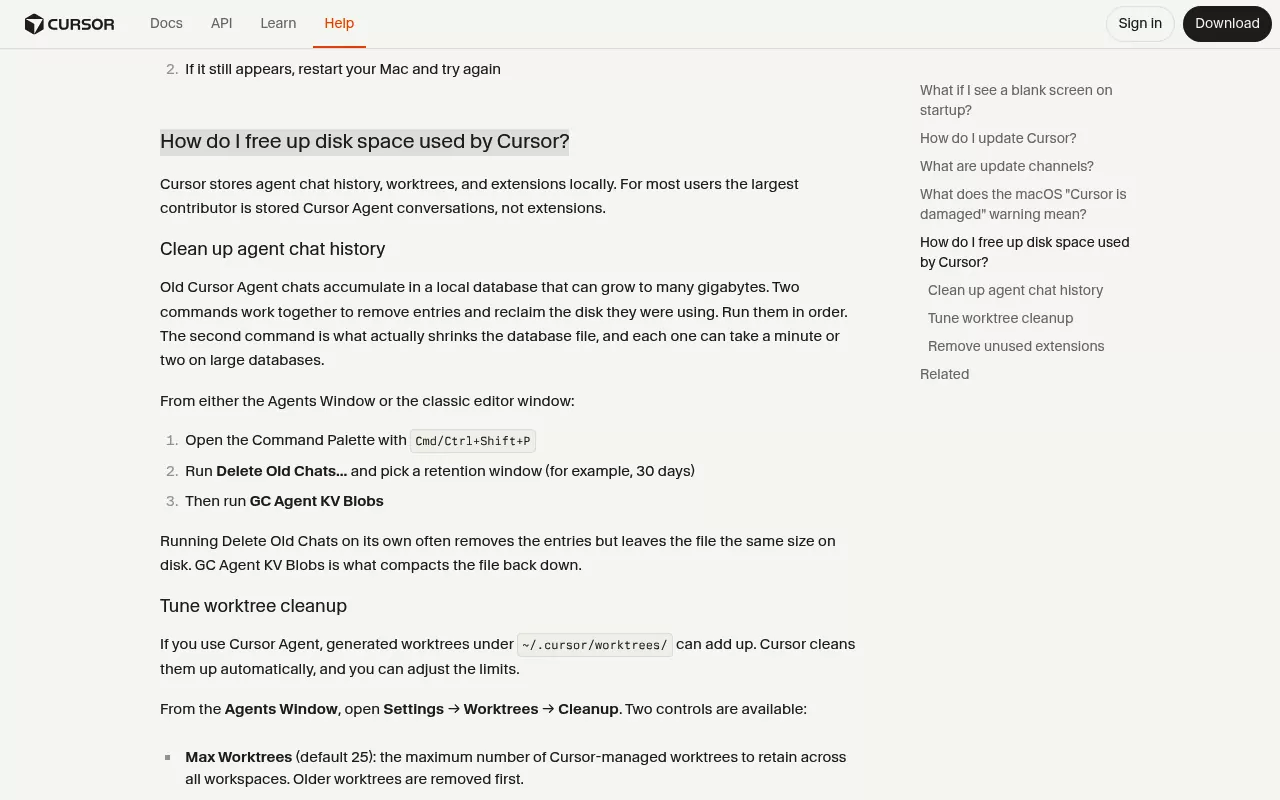
Cursor's help page on disk space gives two commands that work as a pair. Open the Command Palette (Shift, Command and P), run Delete Old Chats... and choose how many days to keep. Then run GC Agent KV Blobs, which is what shrinks the database file.
Worktrees have their own page in the Agents Window, under Settings > Worktrees > Cleanup. Check each one for uncommitted agent changes first.
Before you uninstall Cursor on Mac
Back up what you want to keep
Copy settings.json, keybindings.json and the snippets folder from ~/Library/Application Support/Cursor/User, plus ~/.cursor/mcp.json. That last file can hold API keys in plain text, so store it safely.
To keep a conversation, open it and use Export Chat to save a copy.
Sign out and stop background work
Sign out of your account in Cursor Settings. If you use the CLI, list saved sessions with agent persist list and end them with agent persist stop. Then run agent logout (cursor-agent logout for a Homebrew install), which clears the stored login the CLI keeps in your Keychain.
Does Cursor have an uninstaller?
No. But Cursor can remove its own shell command: open the Command Palette and run Shell Command: Uninstall 'cursor' command from PATH before you trash the app.
If you installed with Homebrew, brew uninstall --cask cursor removes the app and its link. Adding --zap also trashes the data folders, so every chat and setting goes.
Keeping the Cursor CLI? Do not use--zapon the cursor cask. The CLI keeps its config, MCP servers and skills in~/.cursor.
How to uninstall Cursor on Mac, step by step
Step 1: Remove the shell commands
Run the palette command above. Or, if the app is gone, check the links in Terminal:
ls -l /usr/local/bin/cursor /usr/local/bin/codeIf an arrow points into Cursor.app, remove that link, as the Sublime Text guide does for subl. For example:
rm /usr/local/bin/cursorIt deletes the link, not the app. Run it with /usr/local/bin/code only if that link points into Cursor.app too. If Terminal says Permission denied, add sudo in front.
Step 2: Quit Cursor and move it to the Trash
- Choose Cursor > Quit Cursor.
- In Finder, open Applications, select Cursor and choose File > Move to Trash.
These are Apple's steps to delete or uninstall apps on Mac.
Step 3: Delete the data folders
Warning: this removes local chats, agent transcripts, settings and MCP config for good once you empty the Trash. If you have a ~/.cursor/worktrees folder, apply or commit any agent changes in it first.
Keeping the CLI? Leave ~/.cursor and trash only its extensions folder.
- In Finder, choose Go > Go to Folder (Shift, Command and G).
- Enter
~/Library/Application Supportand drag the Cursor folder to the Trash. - Open your home folder, press Shift, Command and period to show hidden items, then trash
.cursor, plus.cursor-tutorif you see it.
On macOS 15 or later, the trash command does the same from Terminal:
trash ~/"Library/Application Support/Cursor" ~/.cursor ~/.cursor-tutorLeave out ~/.cursor if you keep the CLI. The tilde stays outside the quotes because zsh does not expand a quoted ~. Avoid the widely shared rm -rf ~/.cursor*, which skips the Trash and matches anything starting with .cursor.
Step 4: Delete caches, updater files and preferences
Use Go to Folder and trash each item. Skip any that are missing.
-
~/Library/Caches/com.todesktop.230313mzl4w4u92and the.ShipItfolder beside it ~/Library/Application Support/Caches/cursor-updater-
~/Library/HTTPStorages/com.todesktop.230313mzl4w4u92and its.binarycookiesfile ~/Library/Preferences/com.todesktop.230313mzl4w4u92.plist- Files starting
com.todesktop.230313mzl4w4u92.ShipItin~/Library/Preferences/ByHost - Files starting
Cursor_in~/Library/Application Support/CrashReporter
Use these exact names, never a com.todesktop.* pattern, which also matches other apps.
Step 5: Remove the cursor-agent CLI, if you installed it
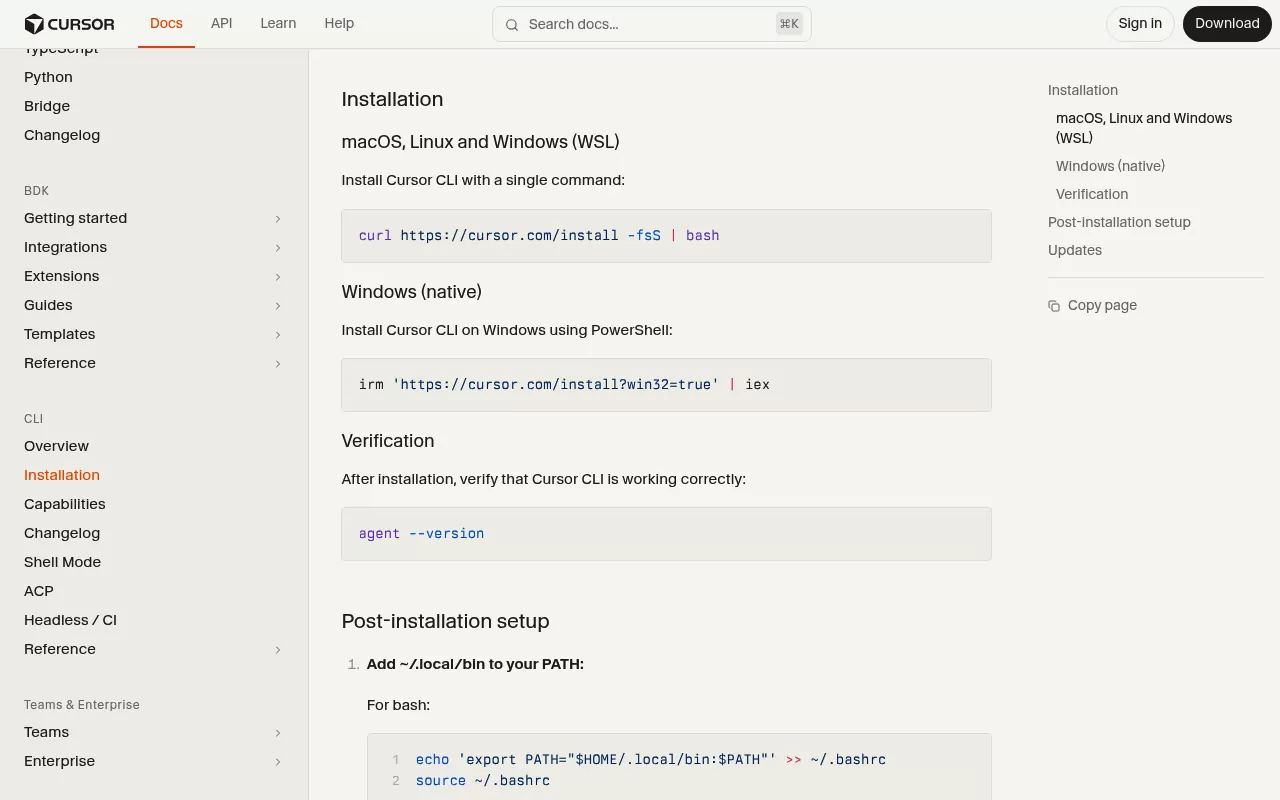
If you ever ran agent install-shell-integration, first run agent uninstall-shell-integration. Then check both links:
ls -l ~/.local/bin/agent ~/.local/bin/cursor-agentRemove a link only if its arrow points into ~/.local/share/cursor-agent, because another tool could use the name agent. Then trash the program folder (or use Finder):
rm ~/.local/bin/agent ~/.local/bin/cursor-agent
trash ~/.local/share/cursor-agent
Never delete all of~/.localor~/.local/bin. Other tools keep files there, such as uv and Claude Code.
The CLI install docs add export PATH="$HOME/.local/bin:$PATH" to ~/.zshrc. Remove it only if nothing else uses ~/.local/bin. Delete any export CURSOR_API_KEY line.
If you kept ~/.cursor in Step 3, trash it now. Homebrew users run brew uninstall --cask cursor-cli instead.
Step 6: Delete the Keychain item, then empty the Trash
If you are not reinstalling, open Keychain Access with Spotlight, search the login keychain for Cursor Safe Storage and delete it. Empty the Trash last, because that step is permanent.
Your Cursor account, subscription and data in the cloud
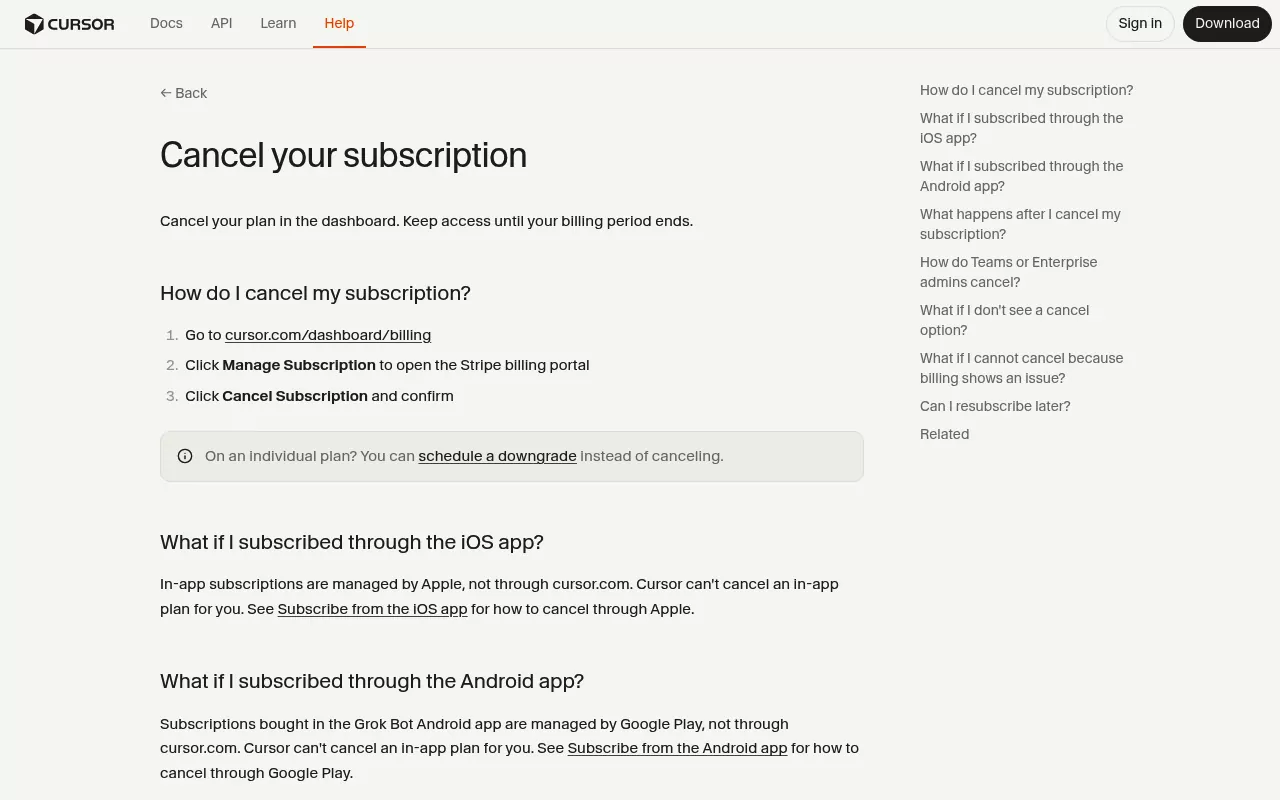
Uninstalling does not stop billing. Go to cursor.com/dashboard/billing, click Manage Subscription, then Cancel Subscription, as Cursor's cancel page shows. You keep access until the period ends, then drop to the free Hobby plan.
Individual plans can schedule a downgrade instead. Plans bought inside an iPhone, iPad or Android app are cancelled through Apple or Google Play, and team seats by the team admin. The Grammarly guide covers the same app versus account split.
To delete the account, cancel first, then open cursor.com/dashboard and click Delete Account under Advanced Account Settings. The delete account page says data goes within 30 days and local files stay. A linked Grok Bot account goes too.
Also revoke keys in the dashboard's API Keys page, any provider keys you added, and the GitHub app if you connected it. Cloud Agents run on Cursor's servers, so check for running ones first.
| Action | Removes from Mac | Removes from Cursor's servers |
|---|---|---|
| Trash the app | The app | Nothing |
| Delete data folders | Chats, settings | Nothing |
| Cancel the plan | Nothing | Future billing |
| Delete the account | Nothing | Account and chats |
Check that nothing is still running
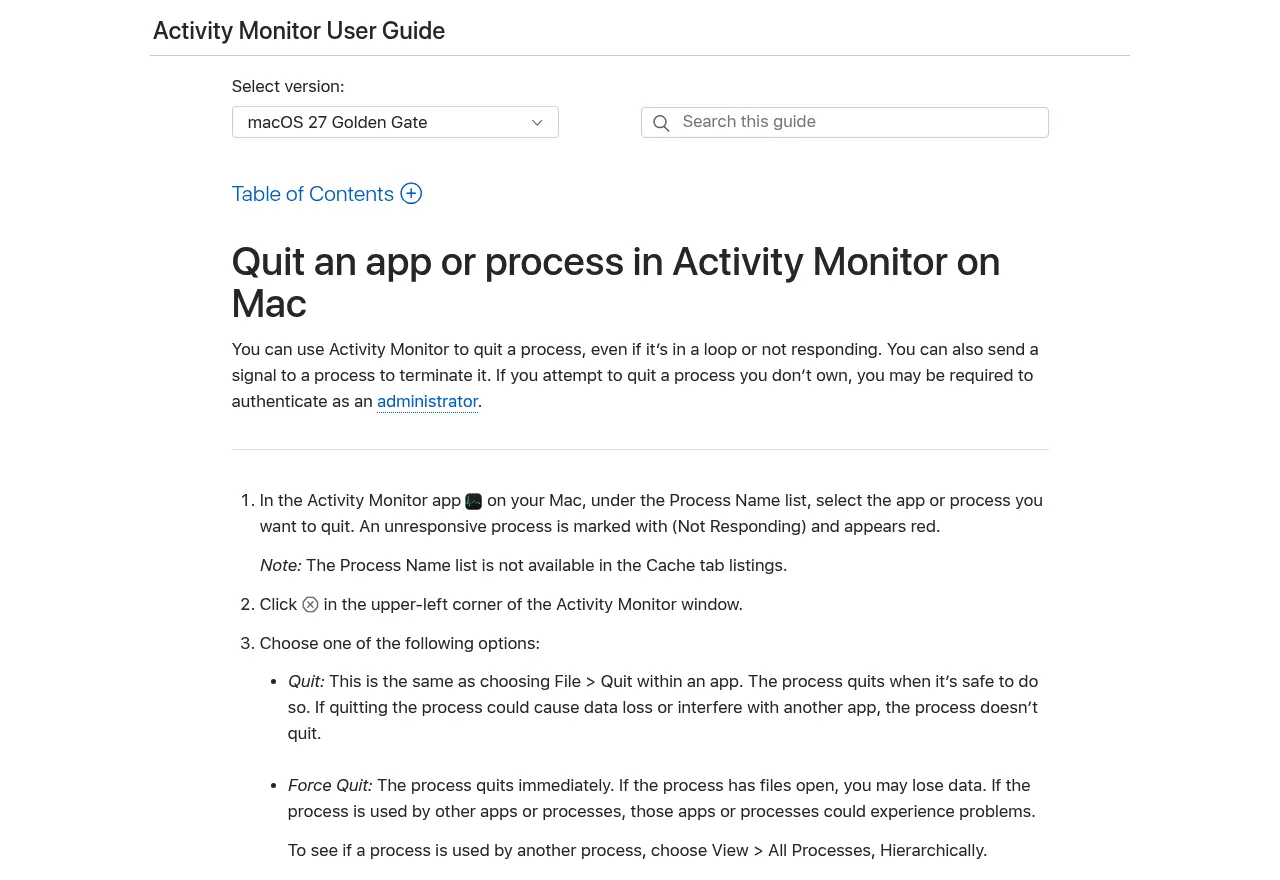
Open Activity Monitor, search for Cursor and quit any process still listed. A process called CursorUIViewService belongs to macOS (it draws the text cursor), so leave it alone. A running CLI session shows up as node.
These Terminal checks change nothing:
pgrep -lf 'Cursor.app|cursor-agent'It lists the app, its helpers and the CLI, but not CursorUIViewService. No output is what you want.
launchctl list | grep -i todesktopA ShipIt line can linger until you restart; it cannot run without the app. Do not search for cursor here, because CursorUIViewService matches.
ls -l /usr/local/bin/cursor /usr/local/bin/code /opt/homebrew/bin/cursor /opt/homebrew/bin/cursor-agent ~/.local/bin/agent ~/.local/bin/cursor-agent"No such file or directory" is the result you want. A line with an arrow into Cursor.app or cursor-agent is a leftover link. A code link into VS Code is fine. Skip which, which reports a broken link as not found.
Cursor added nothing to Login Items & Extensions in System Settings on our Mac. Apple's Login Items guide shows how to check yours. Restart to finish.
Reinstalling Cursor cleanly later
Do Steps 3 and 4 first so old settings stay gone, then download Cursor again from cursor.com/download.
Frequently Asked Questions
How do I completely uninstall Cursor?
Follow Steps 1 to 6 above, then cancel your plan.
Does uninstalling Cursor delete my chats?
Trashing the app does not. Deleting its data folders does, so export chats you want first.
Will deleting Cursor cancel my subscription?
No. Cancel at cursor.com/dashboard/billing as shown above, or through Apple or Google Play if you paid there.
Does uninstalling Cursor delete my projects or code?
No. Your repositories stay where you saved them, even if you delete the account. Project .cursor folders and .cursorignore files stay too.
How do I uninstall the Cursor CLI (cursor-agent) on Mac?
Run agent logout, remove its two links in ~/.local/bin and trash ~/.local/share/cursor-agent, as in Step 5.
Why does the code command open Cursor instead of VS Code?
Cursor took over VS Code's code link. In VS Code, run Shell Command: Install 'code' command in PATH to take it back.
Removing other apps from this Mac
Parallels Desktop is another developer tool whose data dwarfs the app, and the Chrome guide deals with similar Chromium caches. Sublime Text sits at the light end, with one command and one data folder.
Each guide covers what the app installs, the leftovers and a final check, using Finder and sometimes Terminal.