How to Uninstall ChatGPT on Mac: The New App, ChatGPT Classic and the Leftovers
To uninstall ChatGPT on Mac, turn off Locked use if you enabled it, quit ChatGPT, and drag it from Applications to the Trash. Then delete its leftovers: the com.openai.codex and Codex folders in ~/Library, the browser bridge files and the Computer Use helper. Keep the ~/.codex folder if you use the Codex CLI or its IDE extension, because they share it.
That, in short, is how to uninstall ChatGPT on Mac. We checked these paths and sizes on a Mac running macOS Tahoe 26.6.2 with ChatGPT 26.928 from OpenAI.
Which ChatGPT is on your Mac?
Since July 2026, two apps can be called ChatGPT. OpenAI's guide to the new desktop app says the old one, now ChatGPT Classic, can stay installed.
| Name in Finder | Bundle ID | What it is |
|---|---|---|
| ChatGPT | com.openai.codex |
The current app, with Chat, Work and Codex. It grew out of the Codex app. |
| ChatGPT Classic | com.openai.chat |
The old app. A copy that never updated may still be called ChatGPT. |
| Codex | com.openai.codex |
Usually an older copy left by the switch. |
Removing it all? Trash all three. If you keep ChatGPT, trash a Codex.app only if macOS flags it or File > Get Info shows an older version.
Trust the bundle ID, not the name. This read-only command prints it:
defaults read /Applications/ChatGPT.app/Contents/Info CFBundleIdentifierA chatgpt.com web app saved from Chrome or Safari is a separate shortcut in ~/Applications, as the Google Chrome guide shows. ChatGPT Atlas is OpenAI's own browser, so skip anything named atlas.
What ChatGPT installs on your Mac, and where
| Path | What it is | Size on our test Mac |
|---|---|---|
/Applications/ChatGPT.app |
The app, with a bundled Codex CLI. | 1.6 GB |
~/Library/Caches/com.openai.codex |
ChatGPT's cache, mostly a downloaded update. | 1.6 GB |
~/Library/Application Support/Codex |
Built-in browser data. | 192 MB |
| Smaller items, listed in step 4 | Cache, logs, settings, notifications. | 123 MB |
Two codex files in ~/Library/Sounds
|
Alert sounds. | 272 KB |
~/Documents/Codex |
Files ChatGPT made outside projects. | Varies |
~/.codex/computer-use and its Library items |
Computer Use helper. | 75 MB |
com.openai.codexextension.json in eight browser folders |
Browser bridge. | Tiny |
~/.codex |
History shared with the Codex CLI. | 16 GB |
ChatGPT Classic uses com.openai.chat and ChatGPTHelper names instead.
Why dragging ChatGPT to the Trash is not enough
The Trash drag removes only the 1.6 GB app. On our test Mac, about 2 GB of Library data and 16 GB in ~/.codex stay behind.
Is there an official ChatGPT uninstaller?
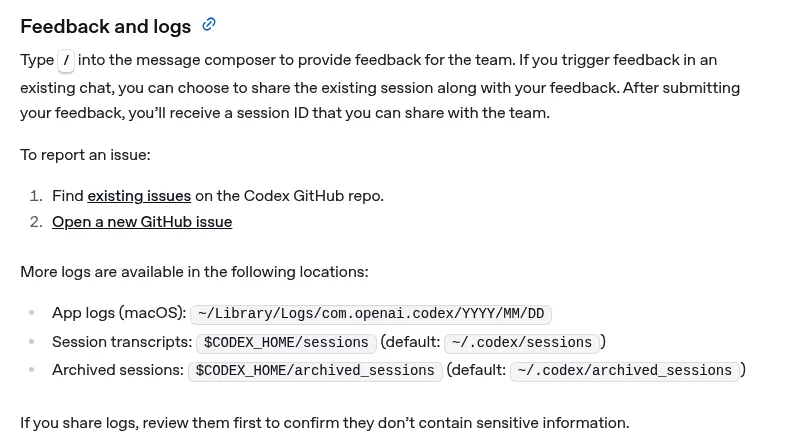
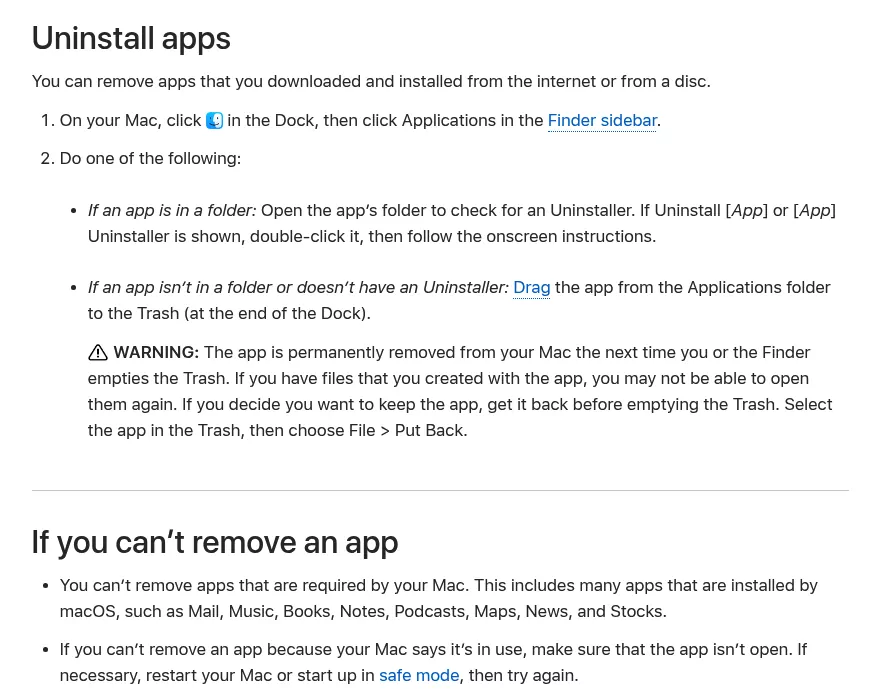
No. OpenAI's docs have no removal steps, so Apple's standard uninstall method applies. On a work Mac, ask IT first, since OpenAI's managed setups may put the app back.
Used Homebrew? Turn off Locked use, then run brew uninstall --cask chatgpt. Even with --zap, the browser files, sounds, helper and Keychain items stay.
Before you uninstall: your account versus this Mac
| Data | Where it lives | Gone after uninstalling? |
|---|---|---|
| Chats and projects | Your OpenAI account | No |
| Local Work and Codex chats, Computer History memories | ~/.codex |
Only if you delete it |
| Files ChatGPT created | ~/Documents/Codex |
Only if you delete it |
| Remote Control pairings, your plan | Your account or Apple billing | No |
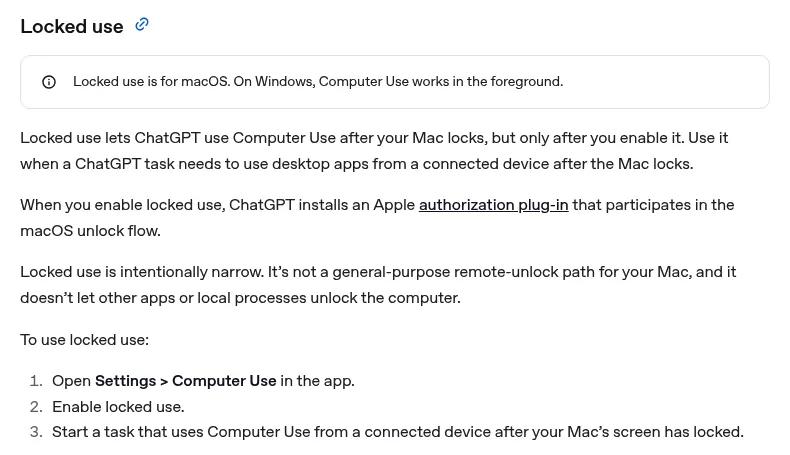
Turn off Locked use first
Open Settings > Computer use in ChatGPT and turn off Locked use. Do it while ChatGPT is still installed, because only the app switches it off cleanly and the plug-in's uninstaller lives inside ~/.codex/computer-use.
Warning: never delete anything in /Library/Security/SecurityAgentPlugins or a CodexComputerUseAuthorizationPlugin folder yourself. Pulling the plug-in out by hand while macOS still uses it can stop your Mac from unlocking.
Then run this read-only check:
security authorizationdb read system.login.screensaver 2>/dev/null | grep -c CodexComputerUseIt counts lines in the screen unlock rule that name the plug-in. A 0 means the rule no longer uses it. If it prints more after the app is gone, reinstall ChatGPT, turn Locked use off, then uninstall again.
Then switch off the rest, if you used them
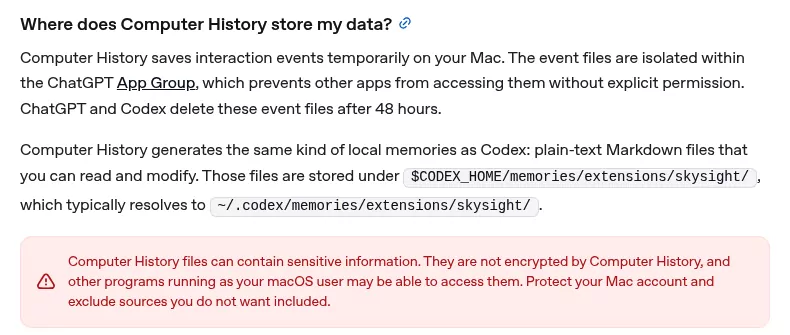
- Computer History: Settings > Computer history, choose Clear all, then Turn off Computer history. Clearing cannot be undone, says OpenAI.
- Browser extension: Settings > Computer use > Remove extension, then remove ChatGPT from each browser.
- Computer Use plugin: Plugins > Computer Use, then Uninstall if it is offered.
- Office add-ins: switch off Word, Excel and PowerPoint in Settings > Computer use. Removing Office too? Use the Office guide.
- Remote Control: in Settings > Connections > Control this Mac, choose Revoke access for each device, then turn off Allow connections. Signing out does not remove pairings, says OpenAI.
- Log out only if everything goes, since it may sign the Codex CLI out too, per OpenAI's sign-in page.
- Your plan: uninstalling does not cancel it, per OpenAI's cancel guide. Cancel in Settings > Billing on the web, or through Apple, as with Grammarly.
-
Back up anything in
~/.codexor~/Documents/Codexyou want.
How to uninstall ChatGPT on Mac step by step
Open each path with Go to Folder in Finder (Shift, Command and G), as Apple's guide shows.
-
Check for a codex link into the app. This read-only command lists any codex link and where it points:
Delete a link that points into ChatGPT.app or Codex.app. Keep any other codex, which is a separate CLI. The Sublime Text guide handles a similar leftover command.ls -l /opt/homebrew/bin/codex /usr/local/bin/codex ~/.local/bin/codex 2>/dev/null - Quit ChatGPT. Then search Activity Monitor and quit any ChatGPT, Codex or Sky process.
-
Drag ChatGPT from
/Applicationsto the Trash, with ChatGPT Classic and any Codex app if they go too. -
Delete the Library leftovers. In each folder, delete the items named:
-
~/Library/Caches:com.openai.codex,com.openai.sky.CUAServiceandCodex -
~/Library/Application Support:com.openai.codex,CodexandOpenAI/Codex(only that subfolder) -
~/Library/Logs:com.openai.codex -
~/Library/HTTPStorages:com.openai.codex,com.openai.sky.CUAServiceand their.binarycookiesfiles -
~/Library/Preferences:com.openai.codex.plistandcom.openai.sky.CUAService.plist -
~/Library/Group Containers:2DC432GLL2.com.openai.codex.notificationsand2DC432GLL2.com.openai.sky.CUAService -
~/Library/Application Scripts:2DC432GLL2.com.openai.sky.CUAService
Skip atlas items. Keeping ChatGPT Classic? Skipfind ~/Library -maxdepth 2 \( -iname '*openai*' -o -iname 'codex*' -o -iname 'chatgpt*' \) 2>/dev/nullcom.openai.chatitems and anything whose name starts with ChatGPT. -
-
Delete the browser bridge files. This read-only command lists them:
Delete only that file. Other apps keep their own files there.find ~/Library/Application\ Support -maxdepth 4 -name 'com.openai.codexextension.json' 2>/dev/null -
Remove the Computer Use helper once the Locked use check prints 0: delete
~/.codex/computer-use. -
Delete the two codex sounds in
~/Library/Sounds. -
Review
~/Documents/Codex. Save any files ChatGPT made that you want. - Remove permissions in System Settings > Privacy & Security. Where listed, take ChatGPT, Codex or Codex Computer Use out of Screen & System Audio Recording, Accessibility, Microphone and Input Monitoring.
-
Clean the Keychain. Open Keychain Access with Spotlight and delete Codex Safe Storage. Delete Codex MCP Credentials and Codex Auth only if
~/.codexgoes and you never use the Codex CLI or IDE extension. -
Decide on
~/.codex, restart, run the checks below, then empty the Trash.
Keep or delete ~/.codex (your local ChatGPT and Codex history)
Trashing ChatGPT never touches the hidden ~/.codex folder. On our test Mac it held 16 GB, mostly chat transcripts in sessions (11 GB), local chat history and generated_images. It also holds memories and auth.json, the shared login.
Warning: deleting~/.codexerases local chats, images and memories for the app, the Codex CLI and the IDE extension. It also signs the CLI out when its login is stored inauth.json, the default.
- Delete it if you use neither the Codex CLI nor the IDE extension and need none of that history.
- Keep it if you use either one, or may reinstall ChatGPT and want your history back.
Press Shift, Command and Period in Finder to see hidden folders, or try these ways to find big folders. Leave /var/run/com.apple.security.cryptexd/codex.system alone, because it is part of macOS.
~/.codex.
~/.codex to a drive first.Confirm nothing from ChatGPT is still running
Activity Monitor should show nothing for ChatGPT, Codex or Sky. If you had Classic, check Login Items & Extensions for ChatGPTHelper.
After a restart, this read-only check should print nothing:
launchctl list | grep -iE 'com\.openai\.(codex|chat|sky)'Then repeat the Locked use check, which should print 0, and step 1's codex link check.
Reinstalling ChatGPT cleanly
For a broken install, quit and trash ChatGPT, plus any flagged or older Codex app. Delete the update cache and browser data folders from the install table. This signs you out of the app and its built-in browser.
Keep ~/.codex, then get a fresh copy from OpenAI's download page.
OpenAI rotated its Mac signing certificate and required updated apps by May 8, 2026, per its Axios statement. Never restore an app macOS trashed as malware, and never bypass Gatekeeper.
Frequently Asked Questions
Will deleting ChatGPT from my Mac remove my chats or my plan?
No. Chats stay in your account at chatgpt.com, except local history in ~/.codex. Cancel the plan yourself. Deleting your ChatGPT account is its own step and cannot be undone.
Will deleting ChatGPT break the Codex CLI or the VS Code extension?
Not a CLI you installed yourself, and not the extension. A codex link into the app breaks, and deleting ~/.codex can sign them out.
Why did macOS say ChatGPT or Codex is malware?
OpenAI's statement names ChatGPT Desktop, the Codex app, the Codex CLI and Atlas, so an old copy can be blocked. Get a fresh copy and trash the old ones.
Why can't I move ChatGPT to the Trash?
Something is still running, such as the bundled CLI. Quit it in Activity Monitor, as with the Creative Cloud helpers.
How do I remove the ChatGPT installer from my Desktop?
It is usually a disk image named ChatGPT.dmg or Codex.dmg. Eject it in the Finder sidebar, then drag the file to the Trash.
How do I turn off the ChatGPT built into macOS?
That is part of macOS. On macOS Tahoe 26, open System Settings > Apple Intelligence & Siri > ChatGPT and turn off Use ChatGPT, per Apple's guide. On macOS 27, it is System Settings > Siri > ChatGPT.
Removing other apps from this Mac
Related guides cover Grammarly, another AI helper with a browser extension, and Google Chrome.
Each covers what the app installs, the vendor's route, the leftovers and a final check.